Best CRM Tools for Small Businesses to Track Leads and Sales
For a small business, the relationship with a customer is not a line on a spreadsheet; it is the entire narrative of the enterprise. Each interaction, from the first curious website visit to the tenth happy renewal, is a chapter in a story you are writing together. Yet, without a dedicated system, this story fragments. Details live in inboxes, scribbles on sticky notes, and the fading memory of a sales call. The sales process becomes a guessing game, marketing feels like shouting into the void, and customer service operates without history. This is the void a Customer Relationship Management (CRM) tool is designed to fill. But for a small business, the choice is not about finding the most powerful enterprise software. It is about finding the right central logic a system that acts less like a database and more like the collective brain for your team, remembering every detail so you can focus on the next, right action. This guide explores the essential CRM tools that help small businesses transform leads into conversations, conversations into sales, and sales into lasting relationships.
The Foundational Shift: From Memory to System
Before evaluating tools, a small business must embrace a core philosophy: customer intelligence is too valuable to be left to chance. A CRM is the deliberate practice of externalizing relationship memory. It answers critical questions before they become crises: Who spoke to this lead last? What did they promise? What product did this customer buy two years ago? Why did that deal fall through last quarter?
The right CRM for a small business is not about managing a vast sales army; it is about creating clarity and consistency. It should provide a single source of truth where every customer interaction is logged. It should automate the mundane, like follow up reminders or data entry. It should visualize the pipeline, so you always know how close you are to your goals. And it should connect to your other tools, turning scattered data points into a coherent story. The goal is to stop tracking leads and start understanding them.
The All in One Command Center: Tools for Integrated Growth
Many small businesses, especially those with lean teams, need a CRM that does more than just track contacts. They need a platform that also handles marketing, service, and operations, creating a unified view of the customer journey without requiring a suite of separate, disconnected apps.
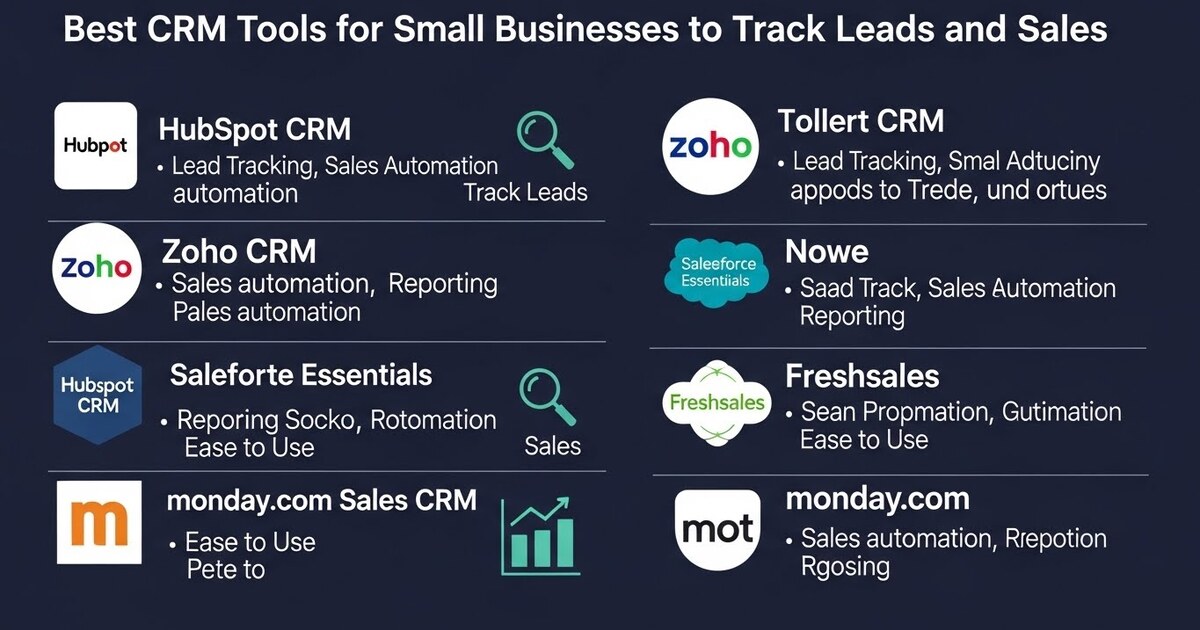
HubSpot CRM dominates this category for a powerful reason: its seamless, free core. The free version is remarkably robust, offering unlimited contacts, deal tracking, email tracking, and meeting scheduling. Its genius is in its user experience; it feels intuitive, not intimidating, often integrating directly into your Gmail or Outlook. For a small business, this lowers the barrier to entry to near zero. As you grow, its integrated marketing, sales, and service hubs (paid tiers) allow you to add sophistication like email automation, live chat, and ticketing within the same ecosystem. This prevents the painful “platform migration” down the line. HubSpot is the ideal starting point for businesses that want a complete, cohesive system that grows with them.
Freshworks CRM (formerly Freshsales) is another compelling all in one contender, built with a strong focus on the sales process itself. It features AI based lead scoring, visual sales pipelines you can customize with ease, and built in phone and email. Its interface is clean and modern, and it is particularly strong for businesses that want to automate outreach sequences directly within the CRM. It feels like a salesperson’s cockpit, designed to move deals forward with minimal friction.
The Sales Specialist: Tools for Pipeline Precision
Some small businesses, particularly in B2B or consultative sales, have a primary need: manage a complex, multi stage sales process with clarity and rigor. Their CRM should function as a dedicated sales machine.
Pipedrive is built on this exact principle. Its entire interface revolves around the visual sales pipeline. Each deal is a card that you drag from stage to stage. This visual metaphor is instantly understandable and focuses the entire team on progressing opportunities. Pipedrive excels at activity-based selling; it prompts you to log calls, emails, and next steps, ensuring no lead is ever forgotten. It is less about broad marketing automation and more about giving a small sales team a ruthlessly efficient process to follow. For a team that lives and dies by its pipeline, Pipedrive’s focused simplicity is a superpower.
Copper is a standout for businesses deeply embedded in the Google Workspace ecosystem. Its distinguishing feature is that it works directly within Gmail and Google Calendar, automatically creating contact records and logging interactions based on your email activity. If your team lives in Gmail, Copper feels less like a separate tool you must update and more like an intelligent layer on top of the tools you already use. This dramatically increases adoption, as the data entry happens passively. It is the CRM for teams that want deep customer insight without changing their daily workflow.
The Lightweight & Agile: Tools for Simplicity and Speed
For micro businesses, solopreneurs, or teams just beginning to systemize, a heavyweight CRM can be overkill. The need is for something incredibly simple, fast, and affordable that solves the basic problem of remembering who to talk to and when.
Streak is a brilliant solution that operates entirely inside Gmail. It turns your inbox into a CRM, allowing you to create pipelines, track deals, and set reminders without ever leaving your email tab. For a consultant, freelancer, or very small shop, this eliminates the friction of switching between applications. Your customer communication and your tracking system are one and the same. It is the epitome of lightweight, agile relationship management.
Capsule CRM offers a clean, simple, and straightforward standalone platform. It focuses on the core essentials: contact management, tracking sales opportunities, and managing tasks. Its clear interface and sensible pricing make it easy to get started and maintain. For a business that wants a dedicated CRM space but does not need the bells and whistles of marketing automation, Capsule provides a calm, organized center for customer relationships.
The Ecosystem Connector: Tools Built for Integration
The modern small business uses a best of breed stack: a separate tool for email marketing, another for accounting, another for project management. In this environment, a CRM’s most important feature can be its ability to connect everything, acting as the central hub that shares data across your operations.
Zoho CRM is a titan in this space, part of the vast Zoho suite of over 50 business applications. While it is a full featured, powerful CRM on its own, its strength for a connected business is its deep, native integrations with other Zoho apps (Books, Campaigns, Projects) and its extensive library of connections to external tools via Zapier and native APIs. If you envision a deeply integrated tech stack where customer data informs support tickets, invoicing, and projects, Zoho provides a powerful, scalable platform to build upon.
Monday.com Sales CRM, while not a traditional CRM, deserves mention here for teams that already use Monday.com for project management. Its sales CRM template can be customized to track leads, deals, and contacts in the same vibrant, visual environment you use for other workflows. This is integration at its most literal; your sales pipeline sits right next to your project timelines and marketing calendars. For a team committed to Monday.com as their work operating system, this can be a wonderfully unified approach.
The Selection Framework: Choosing Your Business’s Brain
With these options, the choice must be strategic, not reactive. Follow this framework to find your fit.
- Map Your Customer Journey: Sketch out the steps from lead to loyal customer. Do you have a long, multi touch sales cycle? Or do you convert quickly and need to focus on service? Your journey dictates the CRM’s primary job.
- Audit Your Daily Tools: Where does your team already live? In Gmail? In Slack? In Google Workspace? Choose a CRM that integrates where you are, not one that forces you to a new home.
- Prioritize Adoption Over Features: The most powerful CRM is useless if your team refuses to use it. Involve them in the trial. The right tool will feel helpful, not burdensome. Look for automatic data capture (like email integration) to minimize manual entry.
- Demand a Clear Pipeline View: However simple or complex, you must be able to see your sales pipeline visually. This is your business’s forecast. You must be able to answer, “If nothing changes, what will we close this month?” at a glance.
- Plan for Connection: Ensure the CRM can connect to your other critical tools, either natively or through automation platforms like Zapier. Your customer data should flow to your email platform and your accounting software.
The Implementation Imperative: From Tool to Habit
A CRM is not software you install; it is a habit you cultivate. Implementation is the true challenge. Start with a single, non negotiable rule: Every customer interaction ends with a note in the CRM. A call, an email, a meeting log it. This builds the history.
Begin by importing your existing leads and customers, no matter how messy. Then, use the CRM for your very next sales conversation. Have it open during the call. Schedule the follow up task within it. Track the deal.
Use the automation features gently at first. Set up one notification for when a deal sits stagnant. Create one email template for your most common follow up.
The transition will feel awkward for two weeks. Then, a shift occurs. You will walk into a customer call having reviewed their entire history. You will know not to ask for the document they already sent. You will remember it is their birthday. The CRM will have given you the superpower of perfect memory and organized action.
In the end, the best CRM for your small business is the one that becomes an invisible part of your culture. It is the tool that stops feeling like a tool and starts feeling like common sense. It remembers so you can think. It organizes so you can strategize. It tracks so you can build. By choosing the right central logic for your customer relationships, you are not just investing in software; you are investing in the clarity, consistency, and intelligence that turns a small business into a lasting, beloved enterprise. Your CRM becomes the brain that holds your most valuable stories, ensuring every chapter is written with context, care, and purpose.