The Architecture of Autonomy: Building a One Time Tech System That Buys Back Your Time

We live in the golden age of automation, yet so many of us remain chained to digital drudgery. We repeat the same manual tasks, week after week, like digital Sisyphus pushing his data up a hill only to watch it roll back down every Monday. The promise of technology was liberation, but without intentional design, it becomes just another source of clutter and obligation. The secret, then, is not to find more hours in the week, but to systematically eliminate the repetitive tasks that consume them. This is not about working harder within your systems, but about building smarter systems that work hard for you. The most powerful investment you can make is a one time, upfront technological setup a dedicated architecture of autonomy that silently saves you hours each week, forever shifting your role from operator to overseer.
The Philosophy of the One Time Setup
The core principle is elegant in its simplicity: identify any task you perform more than once, and engineer a system so it happens automatically or with a single click. This philosophy moves you from being a participant in your workflow to being its architect. The goal is to create what productivity experts call a “touch it once” system. An email is answered, filed, or turned into a task immediately. A receipt is processed the moment it enters your possession. A client onboarding sequence begins the second a contract is signed. This is not merely tips and tricks; it is a fundamental restructuring of your relationship with work. The initial time investment, which may be a dedicated afternoon or a full day, pays a perpetual dividend of recovered time and mental clarity. The system works while you sleep, while you focus on deep work, or while you are simply living your life.
The Foundational Layer: Communication Sanity
For most, the inbox is the epicenter of chaos. A one time setup here creates immediate and profound relief.
The Automated Email Fortress
Begin by implementing a powerful email rule and filter system. Every single piece of email that enters your main inbox should require your conscious thought. All else must be routed automatically. Create filters for newsletters (send them to a “Read Later” folder), notifications (send them to a “Log” folder), and common sender addresses. Use a tool like Sanebox or the native features in Gmail or Outlook to automatically sort low priority messages. Then, craft a series of template responses for your most common email types: scheduling a meeting, answering a frequent question, providing standard information. Tools like TextExpander or even your email client’s signatures can store these, allowing you to insert a perfectly composed paragraph with a few keystrokes. This one afternoon of setup can reclaim an hour a day from the inbox abyss.
The Self Scheduling Calendar
The back and forth of “When are you available?” is a silent time thief. Implement a scheduling link using a tool like Calendly, SavvyCal, or the booking feature in Google Calendar. Connect it to your calendar, define your available hours, and set buffer times between appointments. Share this single link in your email signature, on your website, and in initial communications. From that moment on, meetings book themselves according to your rules, without a single coordinating email. This one time setup eliminates an entire category of administrative negotiation.
The Operational Core: Automating the Mundane
This is where the true magic happens, automating the internal processes that keep a business or life running.
The Financial Autopilot System
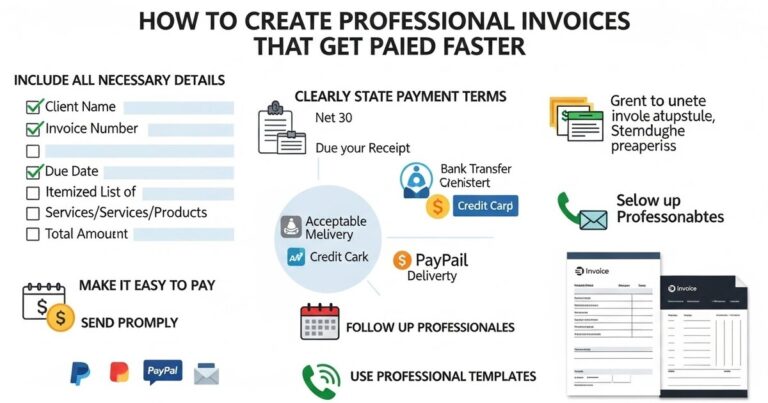
Financial tracking is non-negotiable, but manual entry is a relic. A one time setup here involves linking all your financial accounts bank, credit card, investment, loan to a central aggregator like Mint, Personal Capital, or a dedicated accounting platform like QuickBooks. Set up rules to categorize transactions: all charges from “Staples” are “Office Supplies,” all from “AWS” are “Software.” Set up automated bill pay for every fixed expense. Connect your invoicing software (like FreshBooks or Wave) to accept online payments and set up automatic payment reminders. Once configured, your financial dashboard updates in real time, bills pay themselves, and late payments vanish. The weekly hour of receipt sorting and data entry simply disappears.
The Paperless and Organized Hub
The hunt for documents is a universal time sink. A dedicated setup day to create a digital filing system is transformative. Use a scanner app on your phone or a physical scanner for lingering paper. Choose a cloud storage provider like Google Drive, Dropbox, or OneDrive as your single source of truth. Then, architect a logical, hierarchical folder system: by year, then by category (Tax, Legal, Home, Vehicle, Medical), then by project or vendor. Crucially, set up automatic backups from your phone and computer to this location. Finally, implement a “digital intake” rule: any document you receive, paper or digital, is immediately scanned or moved to its final resting place in this system, with a clear, searchable file name. Future you will spend seconds, not minutes, finding anything.
The Cognitive Layer: Automating Thought and Focus
The most valuable automations are those that manage not just tasks, but your attention and creative energy.
The Centralized Command Center
Context switching is the enemy of productivity. A one time setup to centralize your work is critical. Use a dashboard tool like Notion, Airtable, or even a carefully crafted spreadsheet as your mission control. This becomes the one page you open each morning. Link it to your task manager (Todoist, Things), your calendar, your key project documents, and your metrics dashboard. Use “zap” style automations from a platform like Zapier or IFTTT to make this hub alive. For example: “When I receive an email with the label ‘To Do,’ automatically create a task in my manager with the email subject and a link back.” This setup, which may take a few hours, ensures you never waste mental energy wondering what to work on or where to find something.
The Focus Guardian System
Protecting your concentration requires automated defenses. Use the native “Focus” modes on your computer and phone (or an app like Freedom or Cold Turkey) to create one time schedules. Block social media and news sites from 9 AM to 12 PM daily. Set your phone to automatically enter “Do Not Disturb” during deep work sessions and overnight. Automate the start of your focus music playlist (on Spotify or Apple Music) when you begin a work session. These are not decisions you make in the moment; they are policies you encoded once. The system now actively guards your attention from distraction, reclaiming hours of lost focus each week.
The Continuous Intelligence Layer: Automated Learning and Adaptation
A truly advanced system doesn’t just execute; it informs and improves.
The Passive Information Intake
Consuming relevant news or industry updates doesn’t have to be an active hunt. Use an RSS reader like Feedly or Inoreader to subscribe to your ten most important blogs or news sources. Set it up once, organize your feeds, and then you have a single, curated digest. For deeper research, use a “read it later” service like Pocket or Instapaper with an automation: “When I star an email, save it to Pocket.” Your reading list builds itself from your own interests, without you ever visiting a distracting website.
The Automated Data Digest
Do you check the same three analytics dashboards every Monday? Automate the report to come to you. Use the native reporting features in tools like Google Analytics, social media platforms, or your CRM to schedule a weekly PDF or email digest to be sent to you every Monday morning. For more complex data, use a tool like Zapier to pull key numbers into a single Google Sheet that updates automatically. Your one time setup to connect these data streams means you spend your time analyzing trends, not manually compiling numbers.
The Maintenance and Evolution Protocol
The final, critical piece of the one time setup is the system to maintain the system. Automation is not a “set it and forget it” fantasy; it is a “set it and occasionally check it” reality.
Schedule a quarterly “System Review” appointment in your calendar. This 60 minute session is dedicated to reviewing your automations. Are the email filters still catching the right things? Is a new repetitive task begging to be automated? Has a tool changed its features? This meta maintenance ensures your architecture of autonomy does not decay. It is the one manual task that protects all your automations.
The cumulative effect of this layered, one time technological setup is nothing short of a personal and professional renaissance. The hours saved each week compound into days saved each month. But more valuable than the time is the mental space reclaimed. The cognitive load of remembering to pay a bill, send a follow up, or file a document is released. That mental energy is redirected to strategic thinking, creative pursuits, or simply to rest. You are no longer the constant maintainer of a rickety machine; you are the designer who occasionally fine tunes a well oiled engine. You build the system once, and from that day forward, the system builds freedom for you, one automated hour at a time. In a world demanding more and more of our attention, this is the ultimate form of technological leverage: using a deliberate, upfront investment to purchase the most non renewable resource of all your future time.