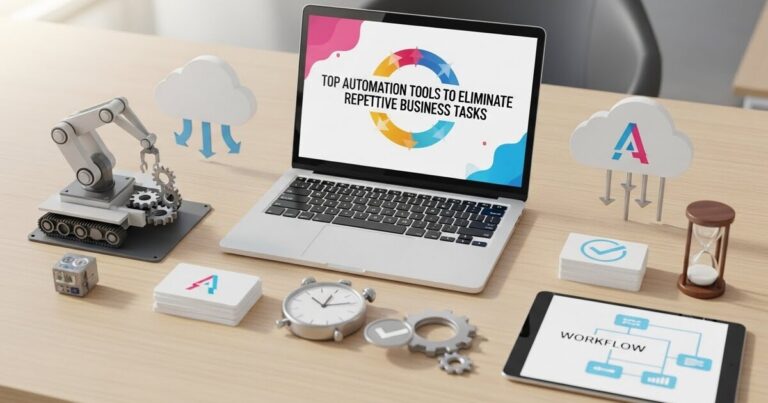
Scaling the Unseen: The Art of Intelligent Automation for the Lean Business

For the small business owner, growth presents a paradoxical challenge. Success inevitably brings more: more customer inquiries, more orders to process, more invoices to send, more data to track. The instinctive, traditional solution is to hire. To bring in another person to shoulder the expanding workload. Yet, this path is fraught with immediate financial burden, training time, and management overhead. It is a linear solution in a non linear world. However, a profound shift is now accessible to businesses of any size. The true lever for scaling efficiently is not merely adding more human hours, but strategically amplifying the output of your existing team through intelligent automation. This is the art of building an unseen, digital workforce a layer of software and processes that operates tirelessly, without a salary, benefits, or breaks. It is about making your business not just bigger, but smarter.
The Foundational Mindset: From Doer to Architect
The journey begins not with software, but with a shift in perspective. The owner and the team must transition from being primary doers of repetitive tasks to becoming architects of systems. This requires a period of observation and analysis. Before a single tool is purchased, you must conduct a thorough audit of your weekly operations.
Grab a notebook and, for one week, document every repetitive task. How much time is spent manually copying data from an email into a spreadsheet? How many minutes are lost each day searching for files or reconciling receipts? How many identical emails are composed to answer the same common question? This inventory of repetition is your automation blueprint. The goal is to identify tasks that are rule based, predictable, and time consuming. These are the processes that, while necessary, add little unique value and are prime candidates for delegation not to a person, but to a process.
The guiding principle is simple: If a task follows a clear “if this, then that” logic and is performed more than once, it can likely be automated. This mindset transforms problems into puzzles, and operational friction into an opportunity for engineering elegance.
Phase One: Liberating Communication and Administration
The daily tide of communication and scheduling is often the greatest drain on a small team. Automating here delivers immediate, palpable relief.
The Self Service Scheduling System
Eliminate the endless email chain for arranging meetings. A tool like Calendly, Acuity Scheduling, or the built in booking features in Google or Outlook Calendar allows you to define your availability. Share a single link on your website, in your email signature, and in initial client conversations. Prospects and clients can then see your real time availability and book appointments directly. The tool automatically sends confirmation emails, calendar invites, and even reminder follow ups. This one time setup reclaims hours per week for every team member involved in client facing scheduling, allowing them to focus on the meeting itself, not the logistics of arranging it.
The Intelligent Email Management Protocol
The shared inbox info@, support@, orders@ can become a black hole. Instead of having multiple people check it manually, use a tool like Front, Help Scout, or even disciplined use of Gmail labels and filters to create automated triage. Emails containing “order status” can be automatically tagged and routed to a specific folder for your operations lead. Messages with “refund” can be flagged for your finance point person. Furthermore, build a library of standardized email templates or “canned responses” for common inquiries. This ensures consistent, professional, and rapid communication without starting from a blank screen every time. The system ensures the right eyes see the right message at the right time, minimizing confusion and delay.
Phase Two: Automating the Operational Core
This phase targets the engine room of your business the repetitive processes that keep the lights on but stifle growth.
Financial Autopilot
Manual bookkeeping is a tax on your focus. Modern cloud accounting software like QuickBooks Online, Xero, or FreshBooks can be connected directly to your business bank accounts and credit cards. Transactions flow in automatically. Then, you create simple rules: all transactions from your web hosting provider are categorized as “Software Expense,” all from the UPS Store as “Shipping.” For receipts, use an application like Dext or Receipt Bank. Your team simply snaps a photo of a paper receipt or forwards an email receipt; the software uses optical character recognition to extract the vendor, date, and amount, and then pushes the data directly into your accounting platform. Invoicing can also be automated with recurring billing for retainer clients, with automated payment reminders sent for overdue invoices. This creates a nearly self maintaining financial system.
The Document and Contract Assembly Line
Creating proposals, contracts, and onboarding documents from scratch for every new client is inefficient. Use a template based tool like PandaDoc, Proposify, or even smart templates in Google Docs. Store your standard proposal language, contract clauses, and welcome materials as modules. When a new opportunity arises, you or a team member simply answers a short questionnaire or fills in key details (client name, project scope, price), and the tool generates a perfectly formatted, personalized document in minutes. E signature integration then allows for signing with a click, and the final document is automatically saved to a designated cloud folder and a notification is sent to your project management system. This slashes the client onboarding timeline from days to hours.
Smart Project and Task Orchestration
If your work involves repeatable projects or client deliverables, automation can ensure nothing falls through the cracks. Use a project management tool like Asana, ClickUp, or Trello not just as a to do list, but as an automated workflow engine. You can create project templates. When a new client signs a contract, you can instantly duplicate your “Standard Website Launch” template. This automatically generates all the tasks “Draft Homepage Copy,” “Collect Brand Assets,” “Schedule Kickoff Call” assigns them to the appropriate team members based on pre set rules, and sets realistic due dates in sequence. The system, not a manager, handles the initial setup and reminders, keeping the project moving forward consistently.
Phase Three: Enhancing Marketing and Customer Nurturing
Automation allows a small team to cultivate relationships with hundreds or thousands of leads and customers simultaneously, providing timely, personalized touchpoints at scale.
The Automated Welcome and Nurture Sequence
When a new subscriber joins your email list or a customer makes their first purchase, that is a critical moment of engagement. An automated email sequence can do the heavy lifting of building that relationship. Using an email marketing platform like Mailchimp, ConvertKit, or ActiveCampaign, you can build a series of emails that trigger automatically. A new subscriber might receive a welcome email immediately, a helpful guide two days later, and an invitation to connect on social media a week after that. For new customers, an automated onboarding sequence can deliver tutorial videos, usage tips, and requests for feedback. This consistent, valuable communication happens without anyone on your team having to remember to send each individual message.
The Lead Capture and Qualification Funnel
Turn your website into a 24/7 lead generation and qualification machine. Use a tool like a chatbot (ManyChat, Drift) or sophisticated forms (via Typeform or your website builder) to engage visitors. A chatbot can answer basic questions and, based on the visitor’s responses, either direct them to a helpful resource or collect their contact information and qualify them as a “hot lead” before passing them to a salesperson. This ensures your human time is spent only on conversations with the highest potential, while basic inquiries are handled instantly, improving user experience and capture rates simultaneously.
Phase Four: Integrating the Ecosystem with No Code Tools
The true power of automation is unlocked when your individual tools talk to each other, creating a seamless operational symphony. This is where “no code” automation platforms become your most powerful ally.
Platforms Like Zapier and Make
These tools act as universal translators between the software you already use. They work on a simple logic: “When this happens in one app, do that in another app.” For example, you can create a “Zap” that automatically adds new email subscribers to your CRM as contacts. You can build another that creates a new task in your project management board whenever a specific type of support ticket is filed. Another could save email attachments from clients directly to a designated folder in Google Drive and then post a notification in a Slack channel. With these connectors, you can design custom workflows that move data and trigger actions across your entire digital toolkit, eliminating the need for manual data entry and ensuring every system is always up to date.
Implementing Your Digital Workforce: A Practical Guide
The prospect can feel overwhelming, so start with a single, high friction process. Choose the one task that elicits a collective groan from your team every time it arises perhaps processing expense reports or managing the new client intake form.
- Map the Current Process: Write down every single step, from trigger to completion.
- Identify the Repetitive Logic: Find the “if this, then that” moments within the process.
- Select the Simplest Tool: Often, automation can begin with features already in software you own. Explore your current tools’ settings before buying something new.
- Build and Test: Create the automation on a small scale, perhaps with a single internal test client or project. Refine it until it works flawlessly.
- Document and Deploy: Write simple instructions for the team, then launch. Monitor it for a week to catch any edge cases.
- Celebrate and Iterate: Acknowledge the time saved. Then, choose the next process on your list.
The ultimate goal of this journey is not to create a cold, robotic business. It is the opposite. By strategically automating the repetitive, rule based, and administrative tasks, you free your most valuable asset your human talent to focus on the work that truly requires a person. This is the work of creative strategy, of nuanced problem solving, of building genuine relationships, and of innovation. Your team moves from being processors to being practitioners, from handling transactions to building transformations.
Automation, therefore, is the ultimate tool for preserving and enhancing the human element of your small business. It allows you to scale your impact, your service, and your revenue without the linear cost of scaling your payroll. You are not building a business that runs on people alone. You are building an intelligent, resilient organism a lean core team empowered by a silent, efficient, and tireless digital workforce. In doing so, you secure not just efficiency, but the freedom to focus on the vision that started it all.