Essential Design Tools for Creating a Professional Business Website
Creating a professional business website is no longer the exclusive domain of agencies wielding complex code. Today, it is a strategic design challenge, accessible to any business owner with the right set of tools and a clear vision. A professional site is defined not by technical wizardry, but by its ability to communicate credibility, guide users intuitively, and achieve a specific business goal—whether that is generating leads, making sales, or building authority. To construct this digital asset, you need an arsenal of tools that handle everything from the initial concept to the final published page. This guide walks through the essential categories of design tools, offering a clear path from idea to execution without requiring a degree in computer science.
The Foundational Platform: Your Website Builder
The cornerstone of your toolkit is the website builder itself. This is the primary environment where your design will come to life. For a professional result without coding, you need a platform that balances creative freedom with built in professionalism.
Visual Drag and Drop Builders like Wix and Squarespace are paramount. Wix offers a largely unstructured canvas, allowing you to place elements anywhere, which is powerful for unique layouts but requires a sharper design eye to maintain polish. Squarespace uses a structured, section based approach within stunning templates, providing guardrails that help ensure a coherent, sophisticated result. Both offer extensive libraries of professional fonts, color palettes, and pre designed content blocks (like testimonials, galleries, or call to action sections) that you can customize with your own text and images. The key is to choose a builder whose design philosophy matches your own comfort level: total freedom versus guided excellence.
Content Management Systems like WordPress, paired with a visual page builder plugin like Elementor or Divi, represent the next tier of flexibility. WordPress itself provides the powerful backend, while the plugin supplies a drag and drop front end interface. This combination offers nearly limitless design possibilities and access to a global ecosystem of specialized widgets and templates. It has a steeper learning curve than all in one builders but rewards you with deeper control and scalability for a growing business.
The Visual Core: Image Creation and Management
Imagery is the soul of your website’s design. Blurry, generic, or poorly sized photos will undermine even the most elegant layout. Your toolkit must include solutions for sourcing, creating, and optimizing images.
Professional Photography is the irreplaceable first tier. A budget dedicated to hiring a photographer for key shots of your team, your workspace, and your products or services pays the highest dividend in perceived credibility. For other needs, High Quality Stock Photo Libraries are essential. Sites like Unsplash and Pexels offer vast collections of beautiful, free images. For more curated, business specific visuals, premium services like Shutterstock or Adobe Stock are invaluable investments. The rule is simple: avoid the clichéd, overly staged stock imagery that users instantly recognize.
Graphic Design and Image Editing Tools are necessary for creating logos, marketing graphics, custom icons, and optimizing photos. Canva is the non designer’s powerhouse. Its intuitive interface and vast library of templates for web graphics, logos, and social media assets allow anyone to produce professional looking visual content. For more advanced photo editing—cropping, color correction, background removal—Adobe Express offers robust free tools, while a subscription to Adobe Photoshop remains the industry standard for precise, pixel level control.
The Typography Framework: Readability and Personality
The fonts you choose are the voice of your website. They convey personality (serious, playful, modern) and are fundamental to readability. Your website builder will have a font library, but understanding typography principles is key.
Google Fonts is an indispensable, free resource. It offers hundreds of open source fonts that are optimized for web performance and can be easily integrated into almost any website builder or WordPress theme. The professional practice is to limit your selection to two, or at most three, fonts: one for headings (to create impact) and one for body text (for effortless reading). Tools like Font Pair can help you discover combinations that work well together visually. Consistency is critical; using one cohesive type system across all pages is a hallmark of professional design.
The Color Schema: Building Cohesion and Emotion
Color influences perception and behavior. A professional website uses a deliberate, limited color palette. Your Primary Brand Color should be dominant, used for key buttons and highlights. Neutral Background Colors (whites, light grays, soft beiges) provide clean space for content. An Accent Color can be used sparingly for secondary actions or details.
Color Palette Generators are vital design aids. Coolors.co or Adobe Color allow you to generate harmonious color schemes from a single starting hue. They ensure your chosen colors work together according to established color theory. Crucially, you must ensure sufficient color contrast between your text and its background for accessibility. Tools like the WebAIM Contrast Checker are non negotiable for verifying that all users, including those with visual impairments, can read your content easily.
The Prototyping Blueprint: Planning Before Building
Jumping directly into your website builder without a plan often leads to a disjointed, inefficient design process. Prototyping tools help you architect the user experience.
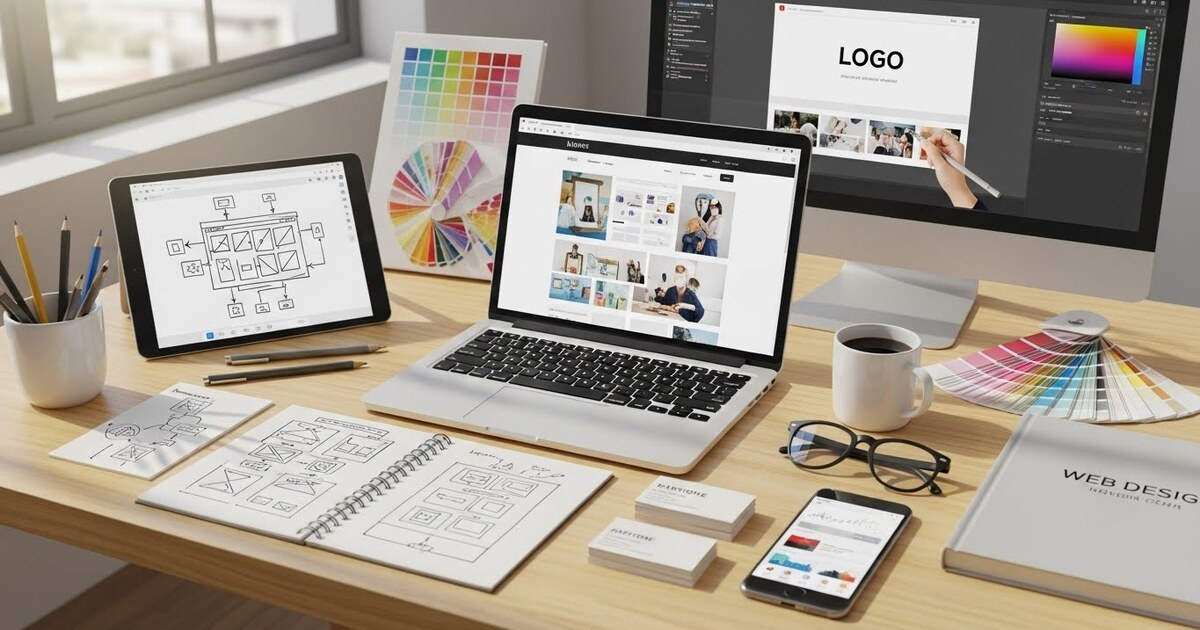
Wireframing Tools like Figma, Adobe XD, or even a simple tool like Whimsical, allow you to create low fidelity blueprints of your key pages. These are simple, gray scale layouts that map out where elements will go—navigation, headlines, images, buttons—without any visual design. This step focuses purely on user flow and information hierarchy, answering the question: “Where will the visitor look, and what will they do next?” For a small business website, sketching a wireframe for your homepage, services page, and contact page on paper or a whiteboard can be a sufficient and highly effective starting point.
The Performance and Polish Engineers
A professional website must be more than just pretty; it must be fast, functional, and polished. These final tools ensure your site meets modern standards.
Icon Libraries like Font Awesome or Feather Icons provide scalable, crisp vector icons for features, services, and actions. Using a cohesive set of icons enhances usability and visual appeal far more than text alone.
Form Builders are critical for lead generation and contact. Your website builder will include a basic form module, but for advanced functionality—multi step forms, complex calculations, or deep integration with your CRM—dedicated tools like Typeform or JotForm create exceptional user experiences that feel like a natural part of your site’s design.
Performance Testing Tools are your final quality check. Google’s PageSpeed Insights analyzes your site’s speed on both mobile and desktop, providing concrete feedback for improvement (like image optimization). Similarly, testing your site on real mobile devices—not just the builder’s preview mode—is essential to ensure every element functions perfectly on a small screen.
Assembling Your Workflow: A Practical Process
The professional result comes from a process, not just a pile of tools.
- Define and Plan: Start with your wireframe or sketch. Define your color palette and font pair using the generators mentioned.
- Gather Assets: Source or create your core images and graphics. Have your logo in high resolution formats.
- Build in Stages: In your chosen website builder, start with the structure. Implement your wireframe, then add your color and typography system globally. Finally, populate the site with your polished images and written content.
- Test Relentlessly: Check every link, test every form, and view every page on multiple devices. Use PageSpeed Insights and make optimizations.
- Iterate: Launch is a beginning. Use built in analytics to see how visitors behave and be prepared to tweak and improve elements over time.
By thoughtfully employing this arsenal—a robust builder, professional imagery, a deliberate typographic and color system, planning blueprints, and polishing tools—you take full command of your business’s digital presence. These tools translate your vision into a functional, compelling reality. They empower you to create a website that doesn’t just exist, but actively works to build trust, communicate value, and achieve your business objectives. In the end, professional web design is less about magic and more about applying the right tools with informed intention.