How to Build a Content Calendar That Actually Saves You Time
It is 9:00 AM on a Tuesday. You sit down at your desk, open LinkedIn or Instagram, and freeze. The blinking cursor mocks you. You know you need to post something to keep the algorithm happy and your leads flowing, but the well is dry. You scramble, throw together a mediocre post, and hit publish.
You have just wasted 45 minutes of mental energy, and you have to do it all over again tomorrow.
This is the “Content Hamster Wheel,” and it is the primary cause of burnout for marketers and business owners. The solution isn’t to work harder or be more creative; the solution is infrastructure. specifically, a Strategic Content Calendar.
But here is the catch: Most content calendars fail because they are just glorified to-do lists. They add work rather than subtracting it.
In this guide, we will dismantle the old way of planning and build a 2026-ready content calendar designed for one purpose: Efficiency. We will cover the tools, the psychology of “batching,” the art of repurposing, and the exact workflow to turn a monthly headache into a two-hour task.
Part 1: The Philosophy of a “Time-Saving” Calendar
Before we open a spreadsheet, we must shift our mindset. A functional content calendar is not just a schedule of dates; it is a Supply Chain Management System for your ideas.
If your content calendar is just a list of empty slots saying “Post Blog Here,” you are doing it wrong. That creates anxiety. A time-saving calendar must answer three questions before you ever sit down to write:
- Who is this for?
- What is the goal?
- Where else can this content live?
The “COPE” Method
The foundational principle of this guide is COPE: Create Once, Publish Everywhere. If you spend four hours writing a high-quality blog post or filming a YouTube video, that asset must be shattered into 10 smaller pieces of content. Your calendar’s job is to schedule those pieces, not to demand 10 new original ideas.
Part 2: The Foundation (Do This Before You Schedule)
You cannot build a house without a blueprint. If you skip this step, your calendar will collapse within two weeks.
1. Define Your “Content Pillars” (The Buckets)
Decision fatigue is the enemy of speed. To save time, you need to limit your options. Choose 3-5 core topics (Pillars) that your business discusses. You are never allowed to post outside these pillars.
- Example for a Real Estate Agent:
- Pillar 1: Local Market Data (Stats, interest rates).
- Pillar 2: Community Highlights (Best coffee shops, schools).
- Pillar 3: Home Maintenance/Design tips.
- Pillar 4: Client Success Stories (Testimonials).
Now, when you stare at a blank calendar, you aren’t looking for “an idea.” You are looking for “A Pillar 2 idea.” This reduces cognitive load by 80%.
2. Establish Your Cadence
Be realistic. Consistency beats intensity.
- Blog/Long-form: 1x per week (or bi-weekly).
- Email Newsletter: 1x per week.
- Social Media: 3-5x per week (Quality > Quantity in 2025).
Part 3: The Tool Stack (Keep It Simple)
The best tool is the one you actually use. Don’t overpay for enterprise software if you are a solo operator.
Level 1: Google Sheets / Notion (The Flexible Free Option)
For most small businesses, a well-structured Google Sheet is unbeatable.
- Pros: infinite customization, free, easy to share.
- Cons: No automation or direct publishing.
- Best for: Solopreneurs and small teams.
Level 2: Trello / Asana (The Visual Workflow)
If you prefer a Kanban board (moving cards from “Idea” to “Drafting” to “Published”), use these.
- Pros: Great for tracking the status of content.
- Cons: Can get cluttered.
- Best for: Teams where approvals are needed.
Level 3: Loomly / Metricool / Buffer (The All-in-One)
These tools combine the calendar with the scheduling button.
- Pros: You visualize the feed and hit “schedule” in the same place.
- Cons: Monthly subscription costs.
- Best for: Social Media Managers handling multiple clients.
Part 4: The “Waterfall” Workflow (The Secret Sauce)
This is where we actually save time. We are going to build a calendar based on The Waterfall Method.
Instead of treating every day as a new task, we treat the week as a cascade starting from one “Hero Asset.”
Step 1: The Hero Asset (Monday)
Your calendar begins with one major piece of content. This is the “Source Code.”
- Action: Write one 1,500-word blog post OR record one 10-minute YouTube video.
- Time Cost: 2-4 Hours.
Step 2: The Splintering (Tuesday – Friday)
Now, you populate the rest of your calendar by chopping up the Hero Asset. You are not creating new ideas; you are formatting existing ones.
- Tuesday (LinkedIn/Facebook): Take the Introduction and Conclusion of your blog post. Rewrite them as a text-only post or a carousel.
- Wednesday (Instagram/TikTok): Take the 3 main “Tips” from the body of your blog. Record a 60-second vertical video explaining them. Point people to the blog link.
- Thursday (Newsletter): Copy-paste the blog into your email marketing tool, tweak the subject line, and send it to your list.
- Friday (Twitter/X): Take the most punchy quote from the blog and post it as a standalone thought.
The Result: You have filled 5 days of your content calendar, across 4 platforms, but you only had one creative session.
Part 5: How to Build the Calendar (Step-by-Step)
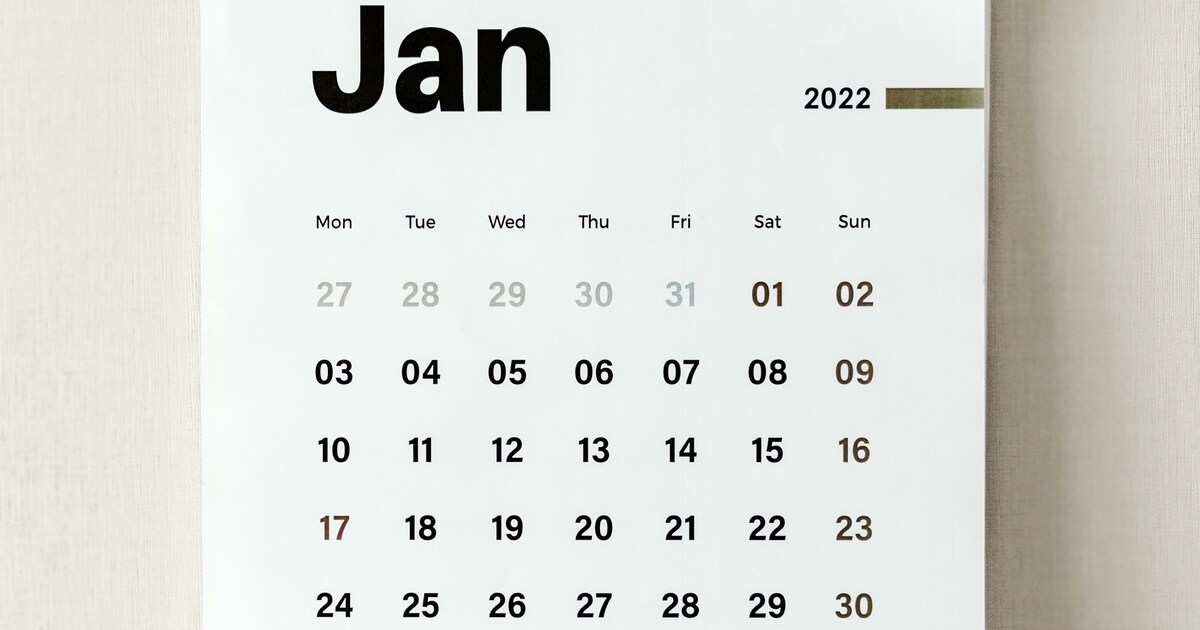
Let’s visualize the physical construction of the content calendar to ensure it flows logically.
Layer 1: The Skeleton ( Recurring Events)
Fill in the non-negotiables first.
- Holidays (Christmas, July 4th).
- Industry Events (Conferences, Tax Day).
- Company Promos (Quarterly sales).
- Why: These are easy wins. They take zero brainpower to plan.
Layer 2: The Theme Days
Assign a specific “Vibe” or “Pillar” to specific days of the week to reduce decision fatigue.
- Money Monday: Market updates or sales posts.
- Teaching Tuesday: How-to guides (Educational).
- Win Wednesday: Client testimonials or case studies.
- Thoughtful Thursday: Behind-the-scenes or personal stories.
- Feature Friday: Product highlights.
Layer 3: The Content Injection
Now, drop your “Hero Assets” into the slots.
- If you are releasing a blog about “Winter Roofing Tips” on Monday…
- Immediately schedule the “Winter Roofing” Instagram Reel for Wednesday.
- Immediately schedule the “Winter Roofing” Client Review for Friday.
Part 6: The “Mega-Batching” Protocol
A content calendar only saves time if you execute it in Batches. If you look at your calendar every morning to see what to do, you have failed.
The “Context Switching” Cost
Neuroscience tells us that every time you switch tasks (e.g., from answering emails to writing a creative post), it takes the brain 23 minutes to refocus. If you write posts daily, you are paying this “tax” 5 times a week.
The Solution: The 2-Day Monthly Cycle
Aim to do all your work for the month in two days.
- Day 1: Strategy & Copywriting (The “Brain” Day)
- Open your calendar.
- Define the 4 Hero Assets for the month.
- Write the scripts, the captions, and the emails.
- Do not open Canva. Do not open a camera. Just write.
- Day 2: Production & Design (The “Hands” Day)
- Now that the scripts are written, shoot all 4 videos in one hour. Change your shirt between takes.
- Open Canva. Create all the graphics for the month in one sitting using templates.
- Upload everything to your scheduling tool.
By separating “Writing” (Left Brain) from “Designing” (Right Brain), you enter a flow state. You can do in 8 hours what usually takes 20.
To protect time for content creation alongside client work, apply these time-management strategies for business owners.
Part 7: Automating the Gaps with AI
In 2026, you have a digital intern. Use AI to fill the holes in your calendar, but use it strategically.
Brainstorming Titles
Don’t stare at a wall.
- Prompt: “I am writing a blog post about [Topic] for [Audience]. Give me 10 catchy, SEO-optimized headlines that drive curiosity.”
Repurposing Assistant
- Prompt: “Here is a blog post I wrote. Please turn this into a 5-tweet thread, a LinkedIn carousel outline, and a script for a 30-second TikTok video.”
- Time Saved: 1 hour per post.
Visuals
Use tools like Midjourney or Canva’s Magic Media to generate stock imagery so you don’t spend hours searching Unsplash for “business meeting.”
Part 8: The “Flex” Buffer
The biggest mistake people make is over-stuffing the content calendar. If you schedule every single day, you leave no room for reality.
The 80/20 Rule
- 80% Scheduled: Evergreen content (educational, testimonials, product info) that is relevant anytime.
- 20% Blank: Leave room for “Newsjacking” or trending topics.
- If a major industry news story breaks on Wednesday, you don’t want to be locked into posting a generic quote. You want the flexibility to pivot.
- Tip: Mark every Friday as “Flex.” If nothing news-worthy happened that week, pull a post from your “Evergreen Bank” (a tab in your spreadsheet of timeless posts).
Part 9: Maintenance (The Monthly Review)
A content calendar that isn’t reviewed becomes a graveyard. Set a recurring meeting with yourself on the 25th of every month.
The 30-Minute Audit Agenda:
- Analyze: Look at the analytics. Which Pillar performed best last month? (e.g., “People loved the ‘Behind the Scenes’ posts but ignored the ‘Market Data’.”)
- Adjust: Tweak the ratios for next month. Do more of what worked.
- Plan: Fill in the skeleton for the upcoming month.
Conclusion: From Chaos to Clarity
Building a content calendar that saves time is not about color-coding or expensive software. It is about Process.
It is about realizing that you don’t need 30 new ideas a month; you need 4 good ideas, repurposed intelligently. It is about separating the planning from the doing.
When you implement the Waterfall Workflow and the Mega-Batching Protocol, you stop being a slave to the algorithm. You regain control of your mornings. You wake up, drink your coffee, and realize your marketing is already done for the day.
Your Action Plan for Today:
- Open a Google Sheet.
- Create columns for: Date, Platform, Content Pillar, Status, and Asset Link.
- Fill in the “Skeleton” (Holidays) for the next 3 months.
- Define your 4 Content Pillars.
Stop guessing. Start building.
Frequently Asked Questions (FAQ)
Q: How far in advance should I plan?
A: One month is the sweet spot. Planning a year out is futile because trends change too fast. Planning one week out is too stressful. A monthly view gives you perspective without locking you into stale ideas.
Q: What if I miss a scheduled day?
A: Let it go. The algorithm will not punish you for missing one Tuesday. The goal of the calendar is to reduce stress, not induce guilt. If you miss a day, just push that content to the “Flex” slot or next week.
Q: Should I post the exact same thing on Instagram and LinkedIn?
A: No. The core message can be the same, but the format must change.
- Instagram: Visual-heavy, casual tone, lots of hashtags.
- LinkedIn: Text-heavy, professional tone, focused on business insights.
- The Fix: Use AI to “translate” the caption from one “language” to the other.
Q: What is the best time of day to post?
A: In 2026, this matters less than it used to because algorithms are interest-based, not strictly chronological. However, a general rule of thumb is to post when your audience is waking up (7-9 AM) or during lunch breaks (12-1 PM). Check your specific platform analytics for the truth.
Q: How do I handle multiple platforms without going crazy?
A: Start with one. Master one platform (e.g., LinkedIn or Instagram) before adding another. It is better to have an amazing presence on one channel than a mediocre, ghostly presence on four. Once you have a calendar system working for one, simply add a column for the second.